USBOTG STORAGE MANAGER for ARC
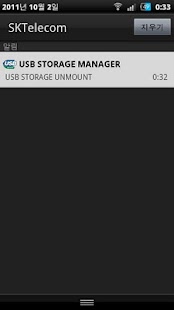
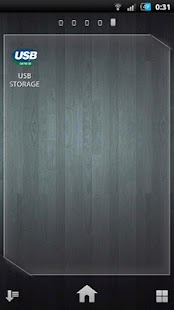
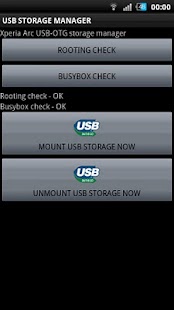
auto-mount USB memory on XPERIA ARC!just plug your USB memory on USB-OTG cable!
you can access USB memory "/sdcard/usbStorage/"
★
★
★
★
★작성자: K(2012년 1월 4일)xperia neoで動作 子供のデジカメ、USBホストケーブル、このソフトを使い、デジカメから直接neoのmicrosdにコピーできました。 アクセス許可もUSBストレージの読み書きのみです。
★
★
★
★
★작성자: PrOnGsSs(2012년 1월 3일)USBotg Brilliant!
★
★
★
★
★작성자: manfredRO(2011년 12월 27일)Brilliant application One of the few things my Xperia Pro still fell short at was the non-hotswappable microSD card.
Even with a massive 32GB storage card I found myself in need to insert another with different content Now I can use my LiveDock or an USB OTG cable to acces data from my other devices, e.g.
to upload pictures from camera to Picasa, or stream endlessly music to a DLNA player.
Thank you, you made my day.
★
★
★
★
★작성자: MysteriousDiary(2011년 12월 19일)Great app Works also with the galaxy nexus and stock 4.02 rom.
★
★
★
★작성자: Dule(2011년 12월 8일)Works with custom kernel!!!
Works on custom kernel ([KERNEL][NEO][upd.
12/nov] Inteks Kernel Clean OC V15 4.0.2.A.0.42) Xperia NEO.
With stock kernel dont work for some reason.
Firmware 4.0.2.A.0.42.
Thanks for a great app.
★
★
★
★
★작성자: Павел(2011년 12월 3일)Всё работает.
Отличная прога, я как раз думал, что надо такую написать и вот наткнулся.
Автоматически маунтит флэшки при подключении, быстро и удобно.
Разве что можно добавить побольше настроек: вдруг я подключил кард-ридер с несколькими карточками, например?
★
★
★
★
★작성자: Tharindu(2011년 12월 2일)Great work...
This is a great app and a must for xperia.
Tried on xperia neo and works totally fine with no issues..
This is the only user friendly app we can find on android market for mounting usb storage devices with xperia neo/arc.
★
★
★
★작성자: Paolo(2011년 11월 5일)Perfect Installed on a xperia neo, ca-157 Nokia usb otg cable.
Mount of usb disk is perfect but the App search for mount also usb mouse or keyword...
★
★
★
★
★작성자: carlos(2011년 11월 4일)xperia neo gran aplicación!!!Funciona tambien en el xperia neo
★
★
★
★
★작성자: Gauti(2011년 10월 24일)Works Great!!
Does what it says!!
Great Job
About USBOTG STORAGE MANAGER for ARC
- Package name (App ID)
- wired.usbotg
- Available on
- Google Play
- Price
- Free
- Version
- v1.3
- Developer
- Tiny Smart Apps
Looking for the USBOTG STORAGE MANAGER for ARC APK?
The safest way to get USBOTG STORAGE MANAGER for ARC (wired.usbotg) on your Android device is to install it directly from Google Play — you'll always get the latest official version, automatic updates, and no risk of modified or infected APK files from third-party sites.
Music Features
Enjoy high-quality music streaming and playback features.
Gaming Features
Enjoy immersive gaming experience with various game modes.
Camera Features
Advanced camera features with editing capabilities.
See USBOTG STORAGE MANAGER for ARC in Action
Frequently Asked Questions
Is USBOTG STORAGE MANAGER for ARC free?
Yes, USBOTG STORAGE MANAGER for ARC is free to download and install on Android through Google Play.
How do I install USBOTG STORAGE MANAGER for ARC on Android?
Open Google Play on your Android phone or tablet, search for USBOTG STORAGE MANAGER for ARC by Tiny Smart Apps or tap the Google Play button on this page, then tap Install. The app downloads and installs automatically.
What is wired.usbotg?
wired.usbotg is the App ID (package name) of USBOTG STORAGE MANAGER for ARC on Google Play. Every Android app has a unique package name, and it is the safest way to verify you are installing the official app.
Is USBOTG STORAGE MANAGER for ARC safe to download?
Installing USBOTG STORAGE MANAGER for ARC from Google Play is the safest option: you get the official version published by Tiny Smart Apps, verified by Google Play Protect, with automatic updates. Avoid APK files from unofficial third-party sites.

Get USBOTG STORAGE MANAGER for ARC Today
USBOTG STORAGE MANAGER for ARC for Android — free download on Google Play.
Compatible with Android phones and tablets — available on Google Play.
Ask AI about this app
Get instant answers about features, tips and more from popular AI assistants.